Overview
Manage inventory items, quantities by location, and reservations from the vendor dashboard.
On this page
The Inventory domain allows you to manage inventory items, their quantity in different locations, and their reservations.
When a product variant's Manage Inventory is enabled, inventory items are created for that variant to manage its quantity. You can also create inventory items and link them later to variants, which is most useful for multi-part and bundled products.
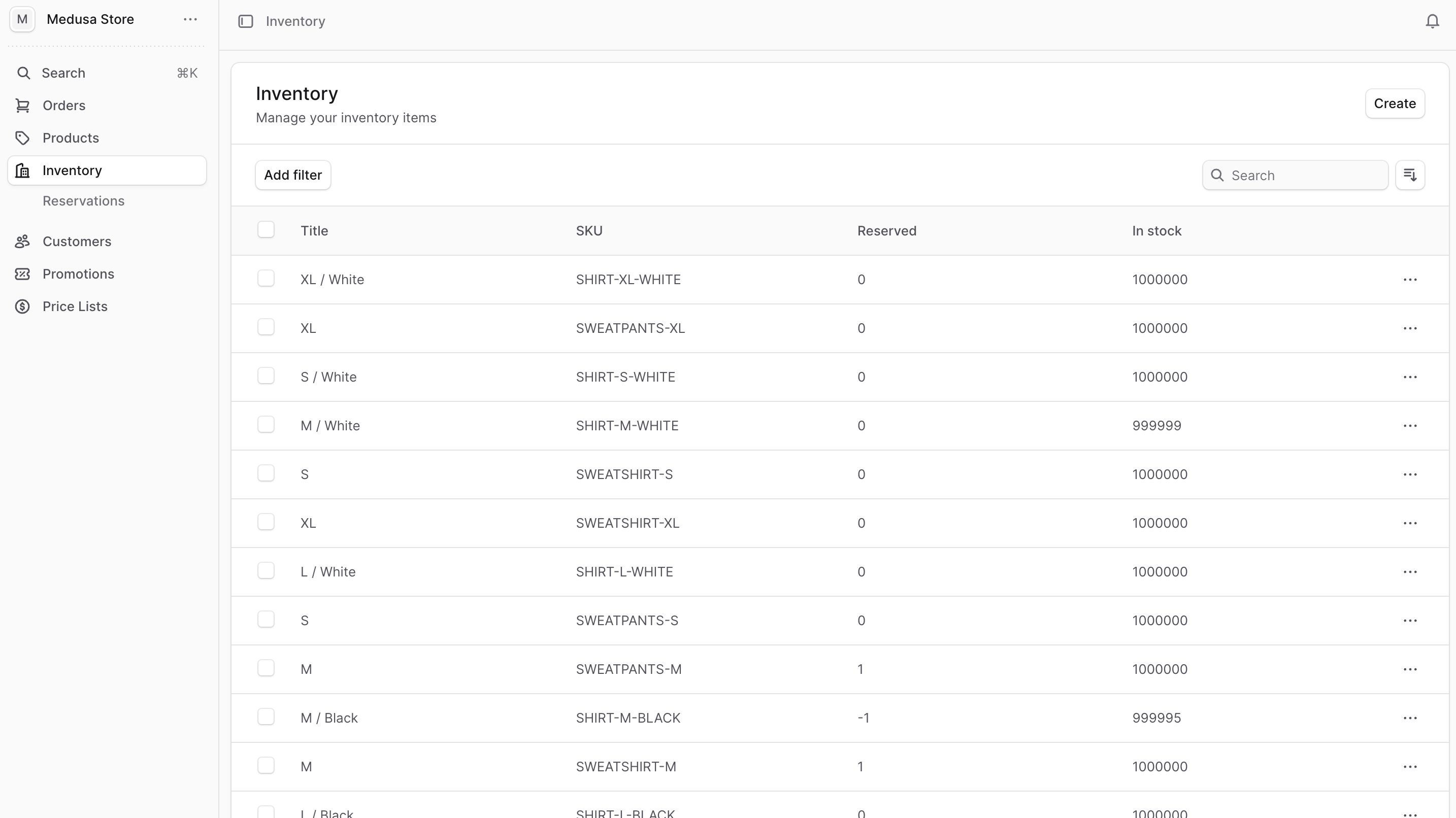
You can view the list of inventory items in your store by clicking Inventory from the sidebar menu.
In the list, you can see inventory details such as the title, SKU, and in-stock quantity. You can also search, filter, and sort the inventory items to find the specific item you are looking for.
Manage Inventory
You can also manage stock locations under Settings → Locations & Shipping.